Best Webcams for Remote Work (2026)
4 min read
Disclosure: We may earn a commission when you buy through links on this page, at no extra cost to you. Full details.
Ready to buy?
We'll take you to the best local price on Amazon
Top 5 Best Webcams for Remote Work (2025)
Your laptop's built-in camera isn't cutting it on video calls — and in 2025, a decent external webcam is one of the best investments for remote workers. Here are the five best webcams on Amazon, from budget-friendly 2K options to professional 4K setups.
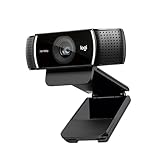
Our #1 Pick: Logitech C922 Pro — The most trusted webcam for remote work — 1080p, background replacement, and rock-solid compatibility with every platform.
| Feature | Logitech C922 Pro | Logitech Brio 4K | Razer Kiyo Pro | Elgato Facecam | Anker C200 2K |
|---|---|---|---|---|---|
| Max Resolution | 1080p@30fps | 4K@30fps | 1080p@60fps | 1080p@60fps | 2K@30fps |
| Frame Rate | 30fps (1080p) / 60fps (720p) | 30fps (4K) / 60fps (1080p) | 60fps (1080p) | 60fps (1080p) | 30fps (2K) |
| Field of View | 78° | 90° | 103° | 90° | 95° |
| Autofocus | Yes | Yes (RightLight 3) | Yes | Yes | Yes (AI-powered) |
| Low Light | Good | Excellent (RightLight 3) | Excellent (adaptive sensor) | Good | Good (AI enhance) |
| Mic Included | Yes (dual stereo) | Yes (dual omni) | Yes (beamforming) | No | Yes (AI noise cancel) |
| Price | ~$100 | ~$180 | ~$130 | ~$150 | ~$50 |
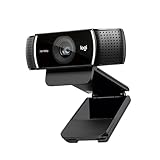
#1 Logitech C922 Pro — Best All-Round Webcam for Remote Work
~$100 | 1080p@30fps | Background Replacement | Dual Stereo Mics
- Rock-solid Logitech reliability — works with Zoom, Teams, Meet, and every major platform
- Software-based background replacement without a green screen
- Dual stereo mics deliver clear audio for calls without a dedicated mic
- 1080p@30fps — lacks 60fps at full resolution
- Low-light performance not as strong as Brio or Kiyo Pro
The C922 Pro remains the most trusted webcam for remote work — reliable, compatible, and consistently sharp for video calls.

#2 Logitech Brio 4K — Best for Video Quality and Windows Hello
~$180 | 4K@30fps | HDR | Windows Hello | RightLight 3
- 4K HDR video — the sharpest picture in this roundup
- Windows Hello infrared camera for instant face-unlock on Windows
- RightLight 3 technology handles bright backgrounds and low light automatically
- 4K is overkill for most video calls — Zoom caps at 1080p
- Most expensive option in this comparison
If you want the absolute best picture quality and Windows Hello login, the Brio 4K is worth the premium — especially for recorded video content.

#3 Razer Kiyo Pro — Best for Low-Light Environments
~$130 | 1080p@60fps | Adaptive Light Sensor | Wide FOV
- Adaptive light sensor — genuinely outstanding performance in dark rooms
- 1080p@60fps gives smoother motion than most webcams in this range
- 103° wide field of view — ideal for standing desks or showing a workspace
- Larger and heavier than typical webcams
- Razer Synapse software required for full customisation
If you work in a dark home office or a room with inconsistent lighting, the Kiyo Pro's adaptive sensor is a genuine game-changer.

#4 Elgato Facecam — Best for Streamers and Content Creators
~$150 | 1080p@60fps | Sony STARVIS Sensor | No Mic
- Sony STARVIS sensor — the same sensor used in high-end cameras
- 1080p@60fps with manual camera controls via Elgato Camera Hub
- Designed for content creation — uncompressed footage for editing
- No built-in microphone — you'll need a separate mic
- Overkill for standard video calls — targets creators not just remote workers
If you stream, record YouTube videos, or want total control over camera settings, the Elgato Facecam's Sony sensor delivers creator-grade footage.

#5 Anker PowerConf C200 2K — Best Budget Webcam
~$50 | 2K@30fps | AI Noise Cancellation | Privacy Cover
- 2K resolution at a sub-$60 price point — noticeably sharper than 1080p on calls
- AI noise cancellation for microphone — filters keyboard and background noise
- Built-in privacy cover — slide it shut when not in use
- 30fps only — no 60fps option
- Low-light performance is adequate but not exceptional
The best budget webcam upgrade — 2K resolution and AI mic noise cancellation for under $60 makes this an easy recommendation for new remote workers.
Weekly reviews in your inbox
No spam. Unsubscribe any time.